Popup-Form
Popups are the windows that open when you click on a dot. You set in the Canvas Editor which of the possible popup sizes you want for your content.
You can then edit the content you want to appear in the pop-up either directly in the Canvas Editor or in the pop-up form.
All points of the map are listed one after the other in this form. Edit your content here if you only want to focus on the content and if you need an overview of the open fields.
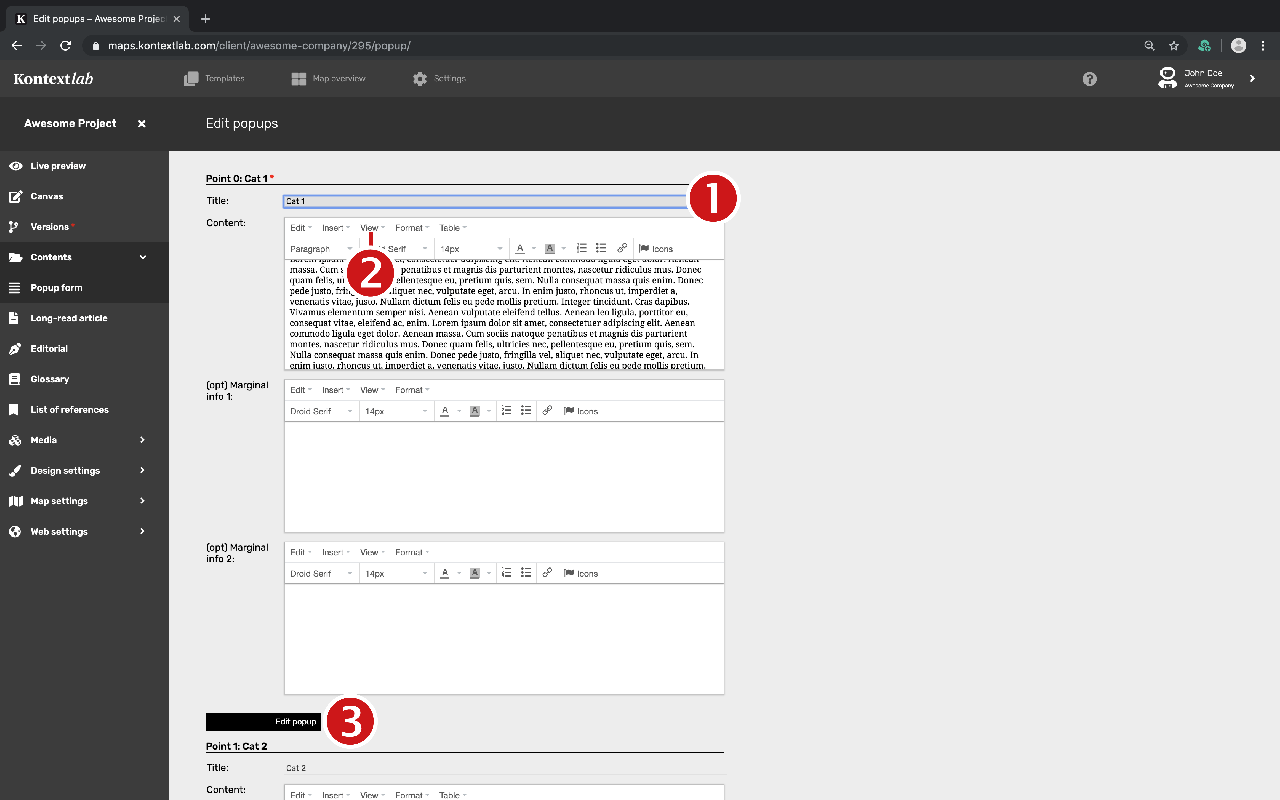
-
All dots created on the map are listed in the form. The dots are sorted chronologically according to the dot numbers. The name of the dot is next to the number and can be changed directly in the form.
-
Edit the contents of the dot in the text editor. To enlarge the form field, select the full-size format in the menu item "View".
-
If you have edited a form field, the button "change popup" appears at the end of the dot form. Click on it to save your changes.