Map-Overview
The map overview contains all your map projects. After logging in you will be automatically directed to this page. If your customer account is new, this area will be empty. Each new map will be displayed in this overview.
Click on the + to create a new map. Or select an existing map project by clicking on the icon/preview.
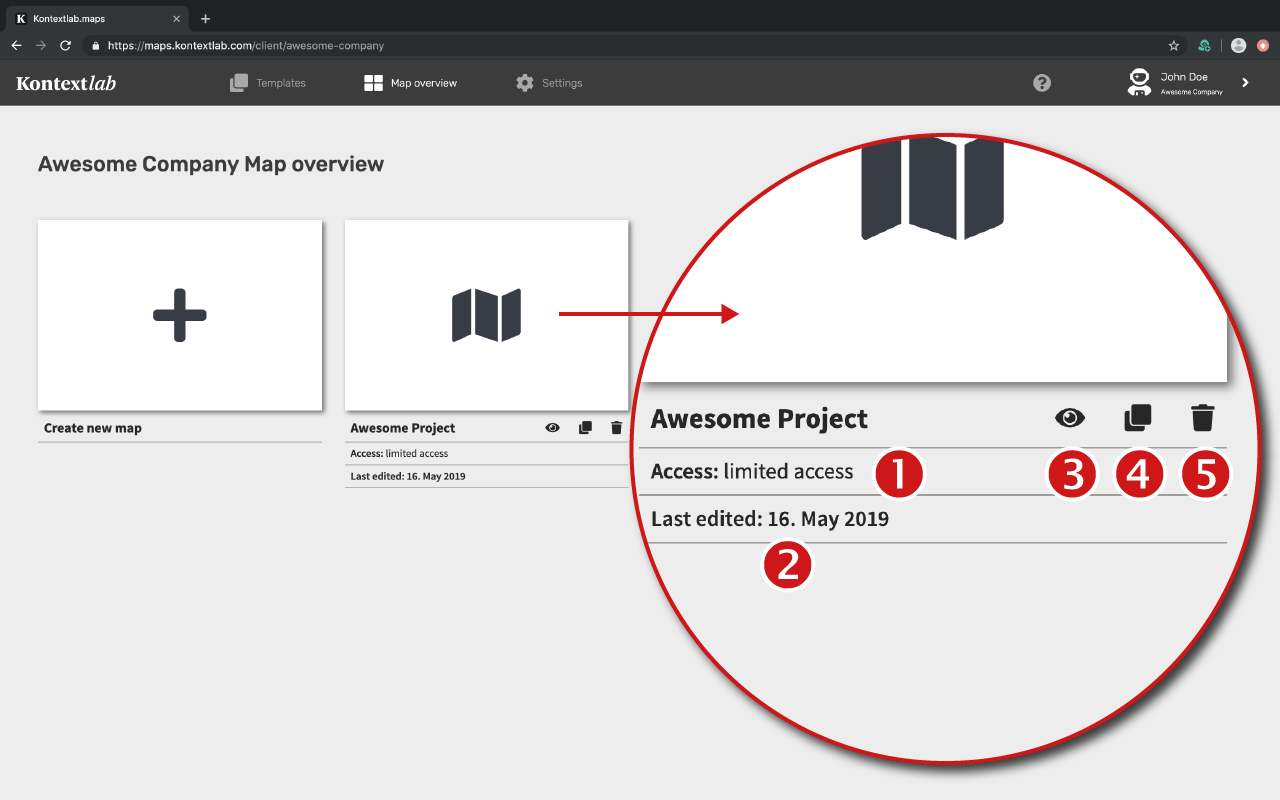
All new maps appear in the map overview.
Under the icon you will find information about the map:
1. The access setting
2. Date of last editing
The following actions can be initiated from there:
3. Live preview of the map in the browser
4. Duplicate the map
5. Delete the map (administrators only)
Preview Picture
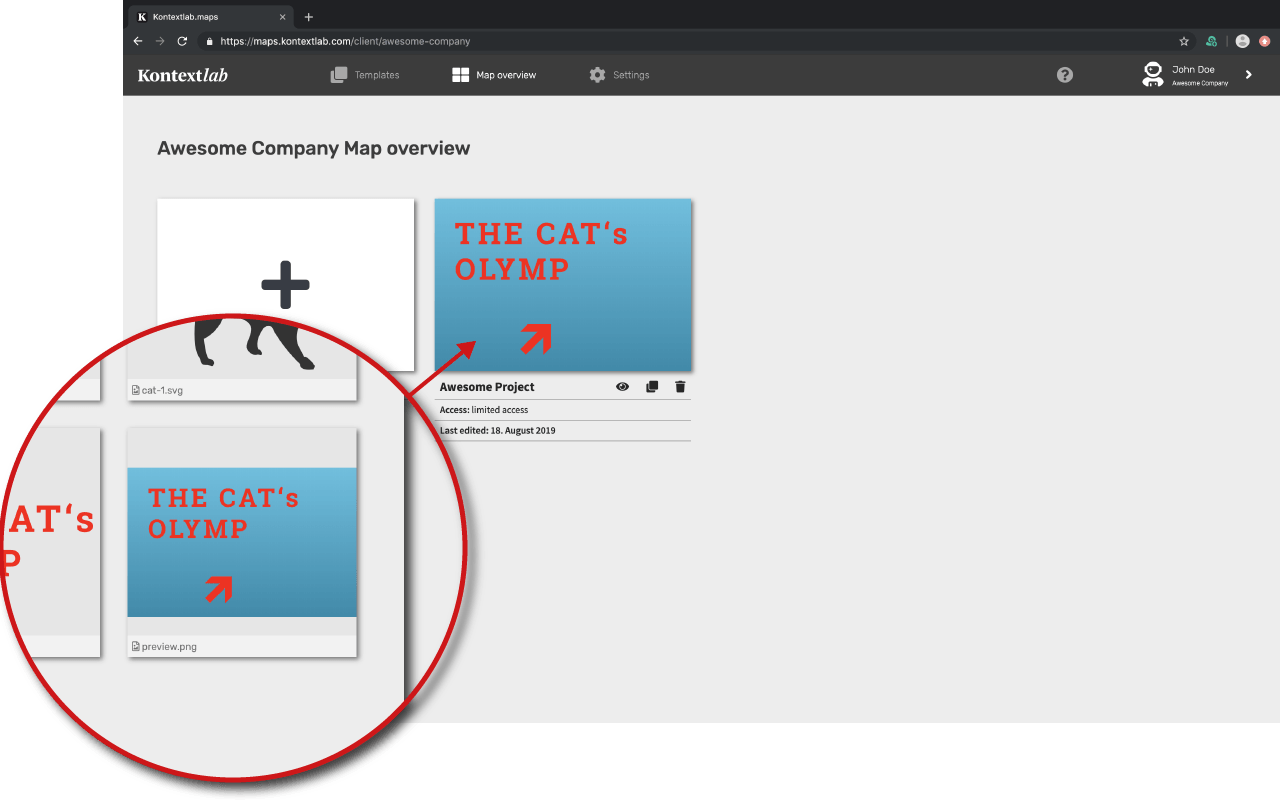
Each map project has a standard map icon. A preview image can be placed here. This will then not only appear in the map overview, but is also the standard social sharing preview image. In addition, this image will be the preview image of the div-embed code that integrates the map into your page.
To create such a thumbnail, create the image and save it under one of the following names in your media management:
vorschau.jpg
vorschau.png
preview.jpg
preview.png
As soon as the image has been uploaded to the media management, it automatically appears in the map overview.