Map Dashboard
When you create a new map or select an existing one, you come to the dashboard of the map. From there you can edit, modify and design all the settings that affect your map.
Whether it's a new project, an existing one or a template: After opening it, you will automatically be redirected to the Canvas Editor.
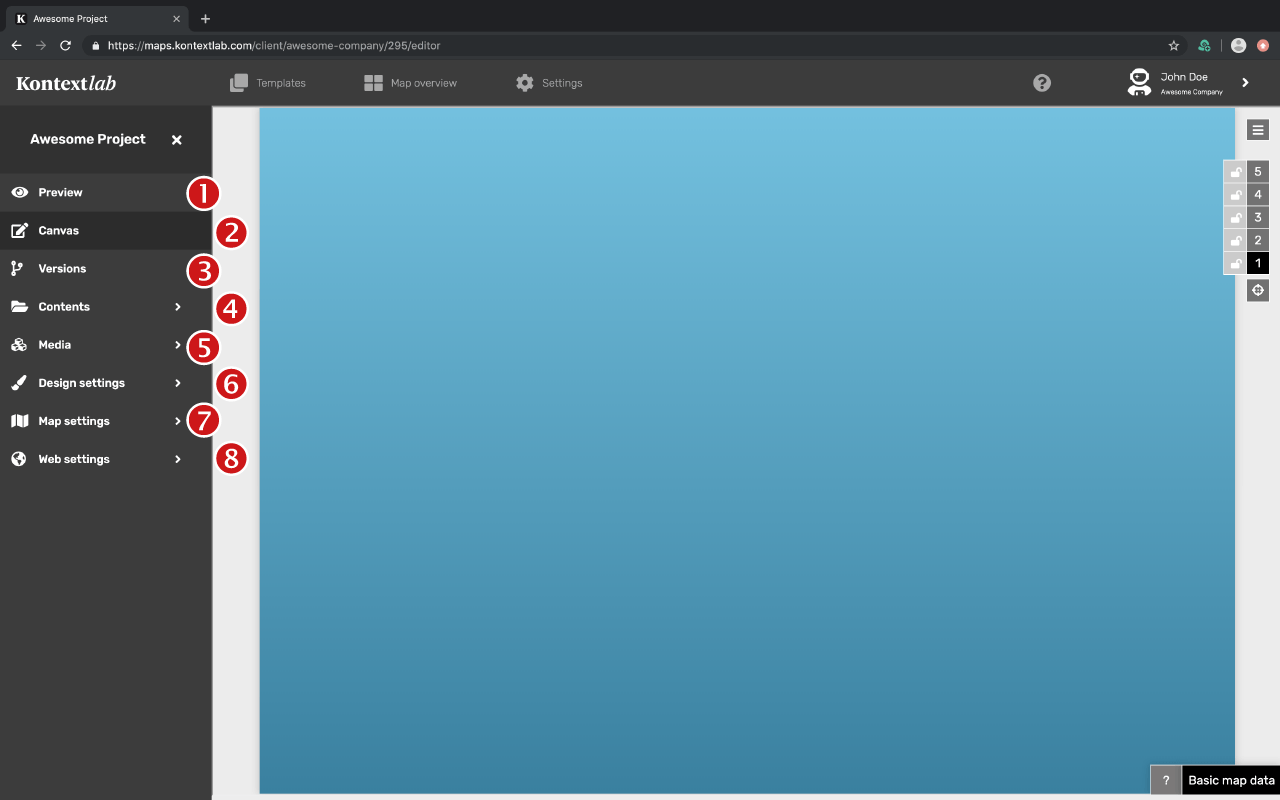
In the map dashboard you will find a menu with various forms in the left tab. There you can define the settings of your map:
- Live preview
- Canvas editor
- Versions
- Map contents
- Media
- Design settings
- Map options
- Web settings
Content and design settings can also be made in the Canvas Editor.